The Sinking City 2 Prologue Demo Walkthrough and Guide
A full walkthrough of The Sinking City 2's free Steam prologue demo — how to get it, what to expect, tips for the opening hour, and what it reveals.
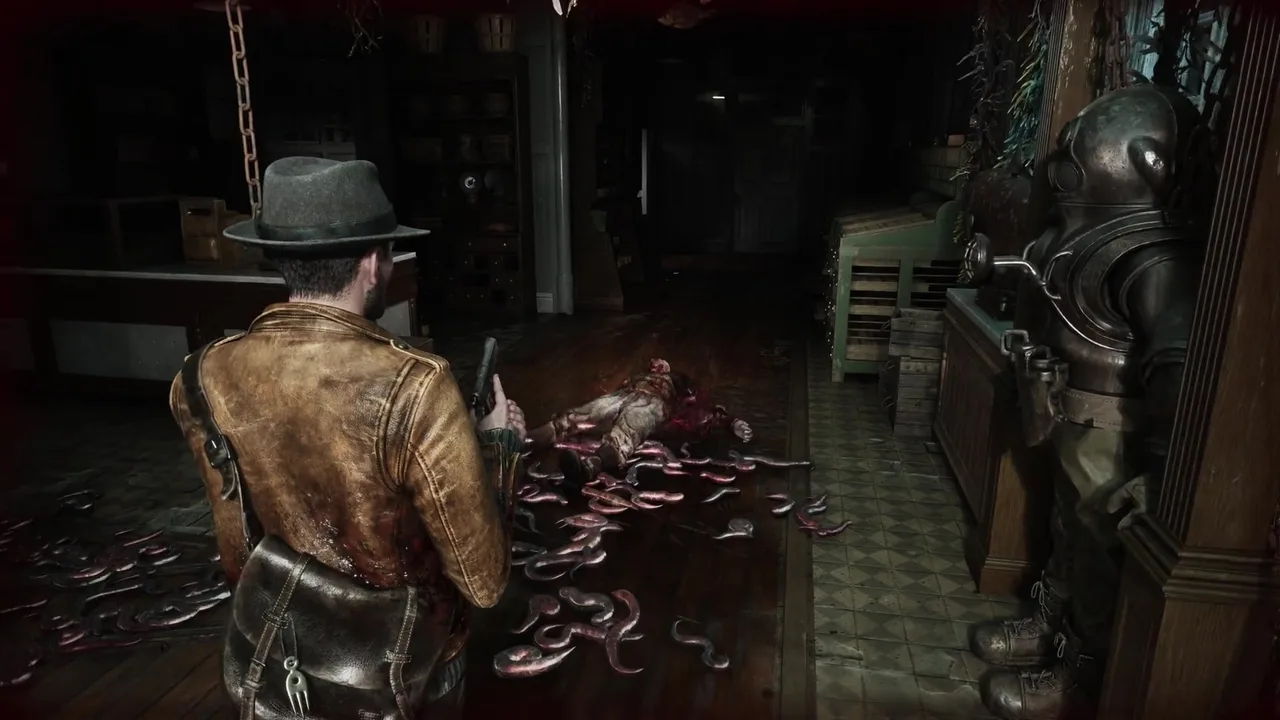
Frogwares did something smart: instead of carving out a vertical slice or building a separate demo level, they released the actual opening of The Sinking City 2 as a free prologue on Steam. One hour, no purchase required, and it’s the real thing — the game’s first act, not a sanitized teaser.
If you’re considering picking up TSC2 when it launches on August 18, this demo is the best way to know whether the game is for you. And if you’ve already downloaded it but found yourself stuck, turned around in the dark, or unsure whether you’re missing something, that’s what this guide is for.
How to Get the Demo
The prologue demo is available on Steam right now, completely free.
- Open the Steam client or visit the Steam store in your browser.
- Search for “The Sinking City 2” in the store.
- On the game’s store page, look for the “Download Demo” button — it’s separate from the purchase option.
- Download and install. The demo is a standalone download; you don’t need to own or pre-purchase the full game.
The demo is available on PC only at the time of writing. Frogwares hasn’t announced a console demo for PS5 or Xbox Series X|S, though that could change closer to launch.
File size is moderate — expect roughly the footprint you’d associate with any Unreal Engine 5 title’s opening chapter. Make sure you have a few gigabytes free.
What the Demo Covers
The prologue demo encompasses the game’s opening sequence — your arrival in Arkham, your first encounters with the flood’s aftermath, initial combat, and an introduction to the core systems. It’s not a curated highlights reel; it’s the literal beginning of the story.
Without spoiling specific plot beats (this is a horror game, and the reveals deserve to land fresh), here’s what the demo introduces:
The premise. You learn why you’re in Arkham and what you’re looking for. The emotional hook — rescuing a loved one from eldritch forces — is established early and clearly.
Basic movement and exploration. You’ll navigate both on foot and by boat within the demo’s scope. The transition between waterborne travel and on-foot exploration is introduced naturally, and you’ll dock at your first location and explore its interior.
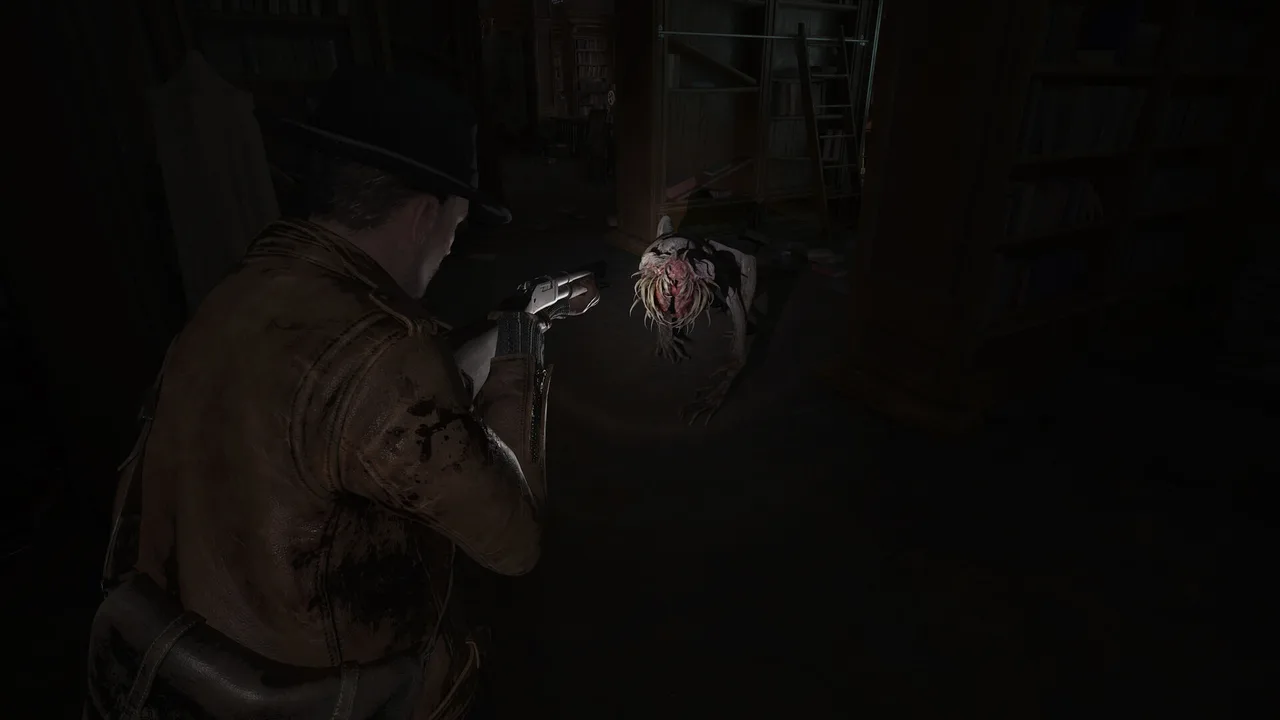
Combat fundamentals. The demo puts a weapon in your hands and something hostile in your way. You’ll face the Slither — animated dead that move faster than you’d expect — and learn the basics of aiming, firing, and melee. Ammunition is scarce from the very start, which sets the tone for the entire game.
The investigation system. You’ll find your first clues, open the case board, and make initial connections. The demo’s investigation content is self-contained — a small thread that resolves within the hour — but it demonstrates how the optional system works and what engaging with it rewards.
Resource scavenging. Drawers, shelves, bodies, and hidden corners all contain supplies. The demo teaches you to search thoroughly by making every bullet and bandage feel valuable.
Atmosphere. This is the demo’s real selling point. The sound design, the lighting, the way water laps against walls where water shouldn’t be — Frogwares is showing off what Unreal Engine 5 can do in service of dread. Play it with headphones if you can.
General Approach and Mindset
Before getting into specifics, some framing that’ll shape how you experience the demo:
This is survival horror, not action horror. If you go in shooting everything and sprinting through rooms, you’ll run out of ammunition fast and miss most of what the demo is showing you. Slow down. Check corners. Listen before you open doors.
The investigation system is optional but rewarding. The demo introduces it gently. Engage with it. The alternate route it unlocks within the demo’s scope is worth finding, and it gives you a concrete sense of what the full game’s investigations will feel like.
Don’t worry about playing “wrong.” The demo is designed as an introduction. If you miss a clue or waste some ammo on a fight you could have avoided, that’s fine — you’re learning the rhythms. The prologue is forgiving enough to let you stumble without punishing you fatally.
Tips for the Demo’s Opening
The very beginning of the demo is deliberately quiet. You’re arriving, getting your bearings, absorbing the setting. Use this time.
Look around before you move. The opening environments are rich with visual storytelling. The state of Arkham — what’s flooded, what’s damaged, what’s been abandoned — tells you about the world before any dialogue does. Let the atmosphere work on you.
Read everything. Documents you find in the opening minutes aren’t filler. They establish context that makes later encounters more meaningful. If you find a note, read it. If there’s a newspaper clipping, check it. These feed into the investigation system and your understanding of what’s happened.
Get comfortable with the controls. The demo’s early sections give you space to learn movement, camera control, interaction prompts, and inventory management without combat pressure. Experiment. Figure out how aiming feels, how the flashlight works, how to access your inventory quickly.
Navigating the First Environments
Once the demo moves you into active exploration, the game opens up. You’ll transition from an initial linear sequence into a more explorable space — the kind of semi-open environment that defines TSC2’s district-based design.
The boat section. Your first time on the water establishes how boat navigation works. Steer carefully — the flooded streets are cluttered with debris, and the boat handles with weight. Note where you dock; you’ll need to find your way back later. For a deeper look at boat mechanics, see the boat navigation guide.
Interior exploration. When you step off the boat, you’ll enter one or more buildings. These interiors are where the demo’s tension ramps up. They’re dark, they’re detailed, and they contain both threats and rewards.
A few things to keep in mind while exploring:
- Your flashlight is essential. The interiors are genuinely dark. Use the flashlight aggressively — there’s no battery mechanic punishing you for keeping it on (at least not in the demo).
- Check every room. Side rooms, closets, and dead-end corridors often contain supplies or clues. The game doesn’t highlight these for you. If a door opens, go through it.
- Verticality matters. Stairs, ladders, and collapsed floors create vertical exploration opportunities. Don’t just sweep a floor horizontally — look up and down.
Combat in the Demo
The demo’s combat encounters are designed to teach you the basics without overwhelming you. You’ll face a small number of enemies — primarily Slither — in controlled environments.
Aim for weak points. Enemies in TSC2 have targetable weak points. The demo’s first combat encounter teaches this through enemy design — the Slither’s vulnerable areas are visually distinct. Hitting them deals more damage and conserves ammunition, which matters enormously.
Melee is a resource saver. When enemies are close and you’re low on ammo, melee attacks are an option. They’re risky — the Slither can hit hard up close — but they preserve your limited bullet supply. Learn the timing of melee swings in the demo so you’re ready for the full game.
Don’t stand still. The Slither close distance quickly. Keep moving during combat, use the environment for cover, and reposition between shots. Standing in one spot and trading damage is a losing strategy when healing items are scarce.
Retreat is legitimate. If a fight is going badly, running is a valid tactical choice. Getting back to the boat or finding a choke point where enemies can only approach one at a time can turn an overwhelming encounter into a manageable one.
| Combat Tip | Why It Matters |
|---|---|
| Target weak points | Saves ammunition — every bullet counts in survival horror |
| Use melee when appropriate | Preserves ammo for tougher encounters ahead |
| Keep moving during fights | The Slither punish stationary targets |
| Use environmental cover | Walls, pillars, and furniture break enemy sight lines |
| Retreat when outmatched | Survival means knowing when to disengage |
The Investigation Thread
The demo contains a short, self-contained investigation that introduces the case board and the clue-connection mechanic. Without spoiling specifics, here’s how to approach it:
Collect everything you can. The demo’s investigation clues are spread across the environments you explore. Some are obvious — a document on a desk, an object that glows faintly. Others require closer examination of the environment. If something looks out of place, interact with it.
Open the case board when prompted. The game will guide you to the case board at the right moment. When you open it, you’ll see your collected evidence laid out visually. The connection mechanic is intuitive — try linking related pieces of evidence and see what the game accepts.
Follow the deduction. When you successfully complete a connection chain, the game provides a deduction that reveals something useful — in the demo’s case, it points toward an alternate approach to an upcoming challenge. This is the investigation system’s value proposition in miniature: be observant, and the game rewards you with better options.
For the full guide on how the investigation system works beyond the demo, see the investigation guide.
What the Demo Tells Us About the Full Game
Playing the demo, several things become clear about what The Sinking City 2 will be:
Resource scarcity is real. Even in the demo’s controlled opening hour, supplies feel tight. The full game will demand careful resource management — hoarding ammunition, rationing healing items, and making hard choices about what to carry.
The flood changes everything. Water isn’t set dressing; it’s a gameplay mechanic that shapes how you navigate, where you can go, and what threats are present. The flood system is central to the experience in a way that previews alone didn’t fully convey.
Investigation is genuinely optional. The demo proves this. You can reach the end of the prologue without engaging with the case board at all. But doing so means missing the alternate route, the extra supplies, and the lore context. The system earns its existence by offering tangible benefits without forcing itself on you.
The horror works. This might be the demo’s most important statement. Frogwares has made a genuinely unsettling game. The atmosphere in Arkham’s drowned interiors — the sound of water where it shouldn’t be, the shapes in the dark, the feeling that the city itself is wrong — lands with an effectiveness that screenshots and trailers couldn’t communicate.
Performance is solid. On reasonable hardware, the demo runs well. Unreal Engine 5 is doing impressive work with the flooded environments, and Frogwares appears to have optimized thoughtfully. Load times are modest, and frame rates hold steady in the demo’s most detailed environments.
Common Questions and Sticking Points
A few things that trip people up in the demo:
“I can’t find my way back to the boat.” The demo’s interiors can be disorienting, especially in the dark. Use your map frequently. When you entered the building, note which direction you came from — the dock is at the waterline, so heading downhill (toward water) usually gets you back.
“I’m out of ammo.” This is by design. Melee is your fallback. Also, recheck rooms you’ve already visited — there may be supplies you missed in drawers or on shelves you didn’t examine closely.
“I missed the investigation clues.” You can backtrack. The demo’s environments remain accessible, so if you reach the point where the case board opens and you feel like you’re missing evidence, retrace your steps.
“Is there more after the demo ends?” The demo covers roughly one hour of content and ends at a natural story break. The full game continues from where the demo leaves off. Whether your demo save will carry over to the purchased game hasn’t been officially confirmed yet, but given that the demo is a true prologue rather than a separate build, transfer is plausible.
Should You Play the Demo?
If you have any interest in survival horror, Lovecraftian settings, or The Sinking City series, yes. Without reservation.
The demo is free, it’s the real game, and it’s one of the better prologue demos in recent memory. It gives you enough time to understand the combat, exploration, and investigation systems, and it leaves you with a clear sense of whether you want to spend the next twenty-plus hours in flooded Arkham.
And if you finish it wanting more, the full game launches August 18 on PC, PS5, and Xbox Series X|S. You won’t be waiting long.
For more on what awaits beyond the demo, check our everything we know guide — the comprehensive hub for everything Frogwares has revealed about The Sinking City 2.
Frequently asked questions
How do I download The Sinking City 2 demo?
The prologue demo is free on Steam. Search for 'The Sinking City 2' on the Steam store, navigate to the game's page, and click the 'Download Demo' button. No purchase required.
How long is The Sinking City 2 demo?
The prologue demo covers roughly one hour of gameplay, though taking your time to explore and investigate can extend that. It covers the game's opening sequence and flows directly into the full game.
Does demo progress carry over to the full game?
Frogwares hasn't confirmed whether save data transfers from the demo to the full release. Since the demo is structured as a true prologue rather than a standalone slice, carry-over is likely — but treat it as unconfirmed until launch.