The Sinking City 2 System Requirements (PC)
Expected PC system requirements for The Sinking City 2 based on Unreal Engine 5 benchmarks. We'll update when Frogwares confirms official specs.
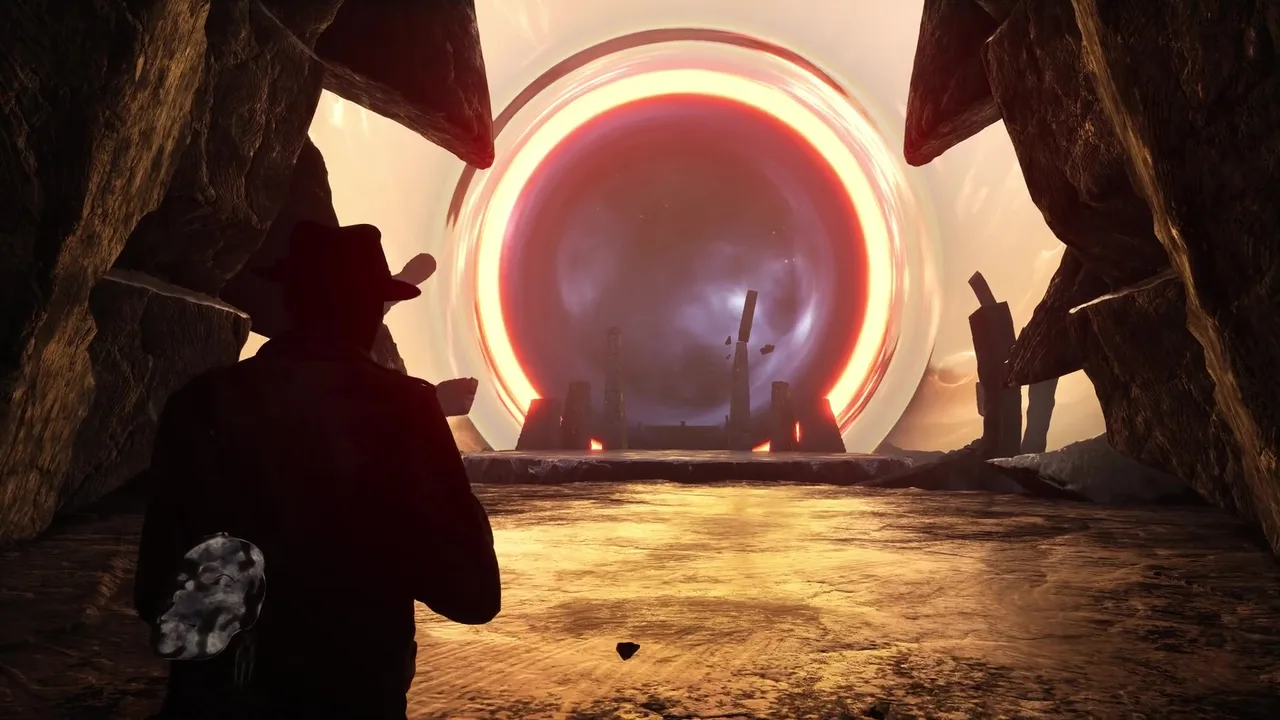
Frogwares hasn’t published official PC system requirements for The Sinking City 2 yet. That’s not unusual — studios often wait until closer to launch to finalize and announce specs, especially when optimization is still in progress.
But the game isn’t a black box. We have the free prologue demo on Steam, we know it runs on Unreal Engine 5, and we can look at comparable UE5 titles for reasonable reference points. What follows are educated estimates, not confirmed specifications. We’ll update this page the moment Frogwares makes an official announcement.
Why Exact Specs Aren’t Public Yet
This happens with most mid-to-large releases. The demo build and the final build can differ substantially in optimization. Frogwares may still be tuning performance targets, adjusting settings menus, and working with GPU vendors on driver optimizations. Publishing specs too early risks either overshooting (scaring away players who could actually run it) or undershooting (leading to frustration at launch).
The prologue demo gives us useful data points, but demo performance doesn’t always reflect final performance — sometimes it’s better, sometimes worse.
What We Can Infer from the Demo and Engine
The prologue demo runs on current Unreal Engine 5 technology, and several things about it are demanding in ways we’d expect:
- Dense, detailed environments. Flooded Arkham is visually complex — waterlogged interiors, debris-strewn streets, atmospheric fog, and dynamic lighting. UE5’s Nanite (virtualized geometry) and Lumen (global illumination and reflections) are doing serious work here.
- Water rendering. A game built around flooding needs good water, and the demo delivers. Real-time reflections, volumetric fog above water surfaces, and underwater lighting effects all cost GPU cycles.
- Dynamic lighting. Lumen’s software-based global illumination is gorgeous but resource-intensive. Hardware ray tracing options will likely push demands higher.
Based on these observations and how other UE5 titles (like Alan Wake 2, Black Myth: Wukong, and Stalker 2) have landed, here’s a reasonable estimate range.
Estimated System Requirements
These are estimates based on the demo, engine characteristics, and comparable titles. They are NOT official Frogwares specifications. Treat them as ballpark guidance, not gospel.
| Component | Estimated Minimum | Estimated Recommended |
|---|---|---|
| OS | Windows 10 64-bit | Windows 11 64-bit |
| CPU | Modern quad-core (e.g., Intel Core i5-10400 / AMD Ryzen 5 3600 class) | Modern 6-core or better (e.g., Intel Core i5-12600K / AMD Ryzen 5 5600X class) |
| GPU | Mid-range card from the last ~3 generations (e.g., NVIDIA RTX 3060 / AMD RX 6600 XT class) | Higher-end current or last-gen card (e.g., NVIDIA RTX 4070 / AMD RX 7800 XT class) |
| RAM | 16 GB | 16-32 GB |
| Storage | SSD strongly recommended (exact install size TBD) | NVMe SSD |
| DirectX | DirectX 12 | DirectX 12 |
A few notes on these estimates:
SSD is almost certainly required or very strongly recommended. UE5’s asset streaming architecture (Nanite in particular) relies heavily on fast storage. Several recent UE5 titles have listed SSD as a minimum requirement, not just recommended. The days of running these games off a spinning hard drive are effectively over.
VRAM matters more than raw GPU power. UE5 games tend to be VRAM-hungry. A GPU with strong raw performance but only 6GB of VRAM may struggle compared to a slightly slower card with 8GB+. If you’re on the edge, check your card’s VRAM allocation.
The install size is unknown. UE5 games vary wildly. A focused, semi-open-world title like The Sinking City 2 could land anywhere from 40GB to 80GB+ depending on asset compression and audio quality options. Don’t assume a small footprint — budget at least 60-80GB of free space to be safe, and expect a day-one patch on top of that.
DLSS, FSR, and Upscaling
Unreal Engine 5 has built-in support for NVIDIA DLSS, AMD FSR, and Intel’s XeSS upscaling technologies. Frogwares hasn’t explicitly confirmed which will ship with the final game, but support for at least DLSS and FSR is highly probable — nearly every UE5 title includes them, and they’re straightforward to integrate.
Upscaling will be critical for hitting smooth frame rates at higher resolutions. If you’re targeting 4K or even 1440p with ray tracing enabled, DLSS or FSR will likely be the difference between a gorgeous experience and a slideshow.
Frame Generation (DLSS 3 / FSR 3) is also possible but unconfirmed. These features can dramatically boost perceived frame rates on supported hardware, though they add a small amount of input latency.
Ray Tracing
The demo shows Lumen-based global illumination, which is UE5’s software ray tracing solution. It looks excellent and doesn’t require dedicated RT hardware.
However, UE5 also supports hardware ray tracing for enhanced reflections, shadows, and GI quality. If Frogwares enables this as an option (which is likely), expect it to add significant GPU overhead. This would be a “recommended” or “ultra” tier feature, not something you’d need for a good experience.
The flooded environments would particularly benefit from hardware RT reflections — water surfaces with accurate reflections of fire, debris, and lurking shapes. It’s the kind of visual that makes screenshots look incredible but costs real performance.
What About the Steam Deck?
No official Steam Deck verification status has been announced. And honestly, expectations should be tempered.
UE5 games have a mixed track record on the Steam Deck. Some run acceptably at reduced settings and resolution (Remnant 2, for instance, was playable with tweaks). Others are a poor fit for the hardware (Alan Wake 2 was rough even after optimization).
The Sinking City 2’s reliance on dense environments, water rendering, and atmospheric effects suggests it’ll be demanding on portable hardware. If Steam Deck compatibility matters to you, wait for either official confirmation or community testing after launch before buying.
How to Prepare Your PC
While we wait for official specs, here’s practical advice for getting ready:
Update your GPU drivers. Both NVIDIA and AMD typically release game-ready drivers around major launches. Install them on or just before August 18.
Free up SSD space. Budget 80GB+ to be safe. If your primary SSD is tight, now’s the time to move some games to secondary storage or uninstall things you’re not playing.
Check your RAM. 16GB is the modern baseline for gaming. If you’re still on 8GB, that’s almost certainly going to be a problem. Upgrading to 16GB is one of the most cost-effective improvements you can make.
Run the demo. Seriously — the free prologue demo on Steam is the single best benchmark you have. If it runs well on your hardware at settings you’re happy with, the final game should be in a similar range (with the caveat that later areas may be more demanding than the opening).
We’ll Update This Page
This is a living document. The moment Frogwares publishes official system requirements, we’ll replace the estimates above with confirmed specs and add analysis on what each tier actually gets you in terms of visual quality and frame rate.
In the meantime, the demo is your best friend. And if you’re looking at the broader picture — what the game actually is, what’s changed from the original, how combat and exploration work — our everything we know hub is the place to start. For non-PC players wondering about platforms and editions, the release date guide covers console details, storefronts, and pre-order status.
If you’ve played the demo and noticed specific performance characteristics — frame rate drops in certain areas, VRAM usage patterns, CPU bottlenecks — those observations are useful data points for the community. The game’s performance profile will become clearer as more players test across more hardware configurations in the weeks ahead.
Frequently asked questions
Has Frogwares released official system requirements for The Sinking City 2?
Not yet as of mid-June 2026. The estimates on this page are based on the prologue demo's performance and comparable Unreal Engine 5 titles. We'll update with official specs when they're announced.
Can I run The Sinking City 2 on a Steam Deck?
No official Steam Deck verification has been announced. Given the game's Unreal Engine 5 foundation and expected hardware demands, portable play may require significant settings compromises. Wait for official word before counting on it.
Will The Sinking City 2 support DLSS and FSR?
Unreal Engine 5 has built-in support for both NVIDIA DLSS and AMD FSR, so support is very likely. This hasn't been explicitly confirmed by Frogwares yet.